RustFS Console
RustFS Console is the web-based management interface for the RustFS distributed object storage system—essentially the GUI equivalent of an admin control plane that sits on top of RustFS’s S3-compatible backend. It’s designed to give operators a modern, responsive way to manage storage, configuration, access, and monitoring without relying solely on CLI or API calls.
Core Capabilities
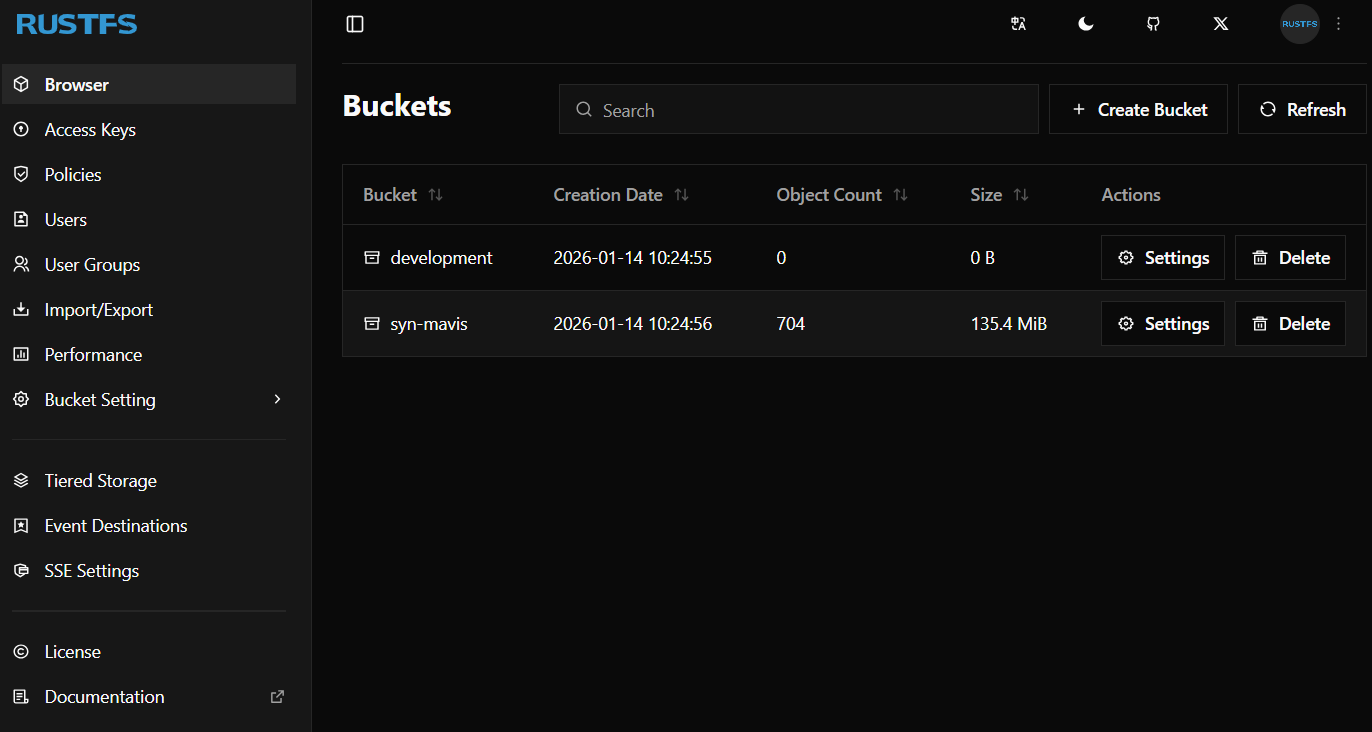
Bucket & Object Management: You can browse all buckets, view and navigate object hierarchies, upload/download objects, delete items, and manage metadata or versions. The object browser supports batch operations and progress feedback for larger tasks.
Access Control & IAM: The console includes UI for access key handling (creation, rotation, expiration), user and group management, and policy creation/assignment, all built on top of RustFS’s IAM system.
Configuration & Lifecycle: Admins can set lifecycle rules, replication configurations, and bucket-level settings. While the back end supports full S3 API semantics, the console translates these into visual controls for easier day-to-day use.
Real-Time Monitoring: Dashboards and performance views let you observe cluster status, performance metrics, storage usage, and health. Since RustFS tracks telemetry and operational statistics, the console’s real-time displays help with capacity planning and troubleshooting.
Design & Architecture
The RustFS Console is built on a modern JavaScript/TypeScript stack using Vue 3, Nuxt 4 (or Nuxt 3 in some forks), Tailwind CSS, and a component system like shadcn-vue, giving it a responsive and extensible UI structure.
Navigation is hierarchical and scoped to core management areas such as Browser, Access Keys, Users, Policies, and bucket settings (Events, Replication, Lifecycle, etc.).
The console communicates with the RustFS back end via HTTP APIs (often over AWS-style signed S3 operations and dedicated admin endpoints), making it suitable for both local and remote admin use.
User Experience Highlights
The interface aims for usability with features like searchable tables, batch actions, preview and metadata panels, and progress/task indicators for uploads or deletions.
It supports multiple languages through internationalization (i18n) and provides a consistent layout with sidebar navigation and a top header, making it easier for teams to adopt without steep learning curves.
Development-friendly workflows like hot reload during development and strong TypeScript typing support help contributors and operators extend or customize the console experience.
In short, RustFS Console aims to be a full-featured admin interface on par with other object storage consoles, exposing configuration, IAM, monitoring, and object operations in a modern, visual way while leveraging RustFS’s S3 compatibility and performance characteristics.