MinIO Console
Depending on which MinIO storage server you deploy, it may expose a browser-based management UI. Older versions of MinIO (prior to May 2025) all included the management UI capability, but in May 2025, MinIO stripped almost all functionality from the UI of the open-source Community Edition, leaving just a very basic object browser. Since that time, the full management UI is only available in the paid Enterprise version referred to as MinIO AIStor.
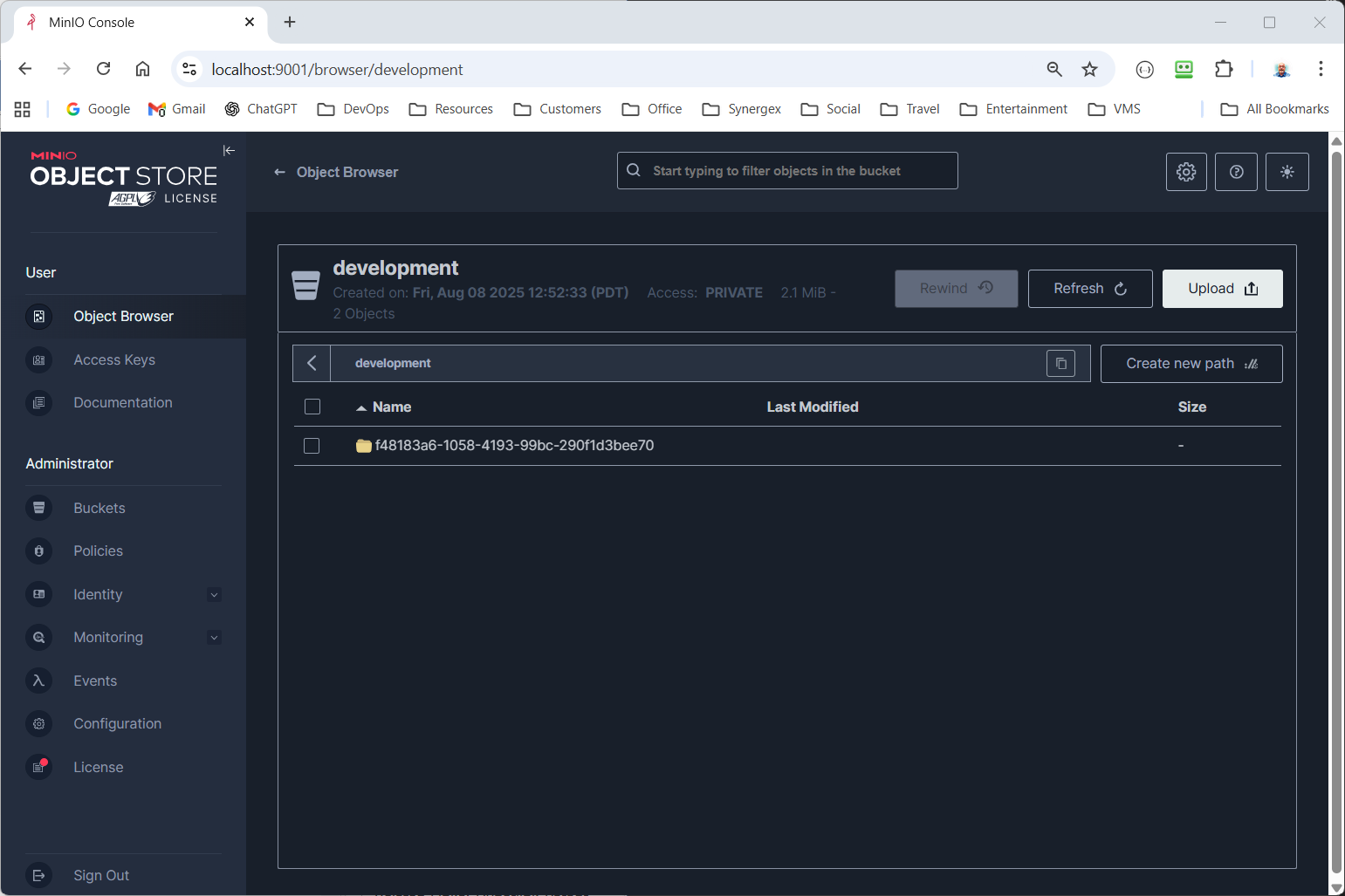
If you are using MinIO AIStor and have enabled the console, the browser-based management UI (called the MinIO Console) provides a comprehensive operational and administrative interface.
The Console provides full lifecycle management of buckets and objects. Administrators can create and configure buckets and apply versioning, object locking, lifecycle rules (tiering, expiration, transition), and replication policies directly from the UI. It supports browsing, uploading, downloading, and deleting objects; inspecting object metadata; and managing object versions. For replicated or erasure-coded deployments, the UI clearly exposes replication status, health indicators, and per-bucket configuration, making it easier to validate data protection and compliance setups.
From an identity and access management (IAM) perspective, the Console offers complete control over users, groups, service accounts, and policies. You can create and rotate access keys, attach fine-grained IAM policies, manage group memberships, and audit permissions without dropping to the CLI. Integration points for external identity providers (like LDAP, Active Directory, and OpenID Connect) are exposed and configurable, allowing centralized authentication while still managing MinIO-specific authorization visually.
Operationally, the Console is strong in monitoring, observability, and cluster administration. It presents real-time dashboards for cluster health, node status, disk usage, erasure-set layout, and healing activity. Admins can observe performance metrics (I/O, latency, throughput), track background jobs (healing, replication, lifecycle processing), and view logs and alerts. Configuration management—such as site-level settings, encryption (KMS), TLS certificates, notifications, and tiering backends—is also surfaced in the UI, reducing reliance on configuration files or CLI commands.
Overall, the Enterprise Console is designed to be a day-to-day operational control plane for MinIO: safe enough for routine administration, detailed enough for troubleshooting, and accessible to teams that prefer a GUI while still complementing (not replacing) the mc CLI and automation workflows.